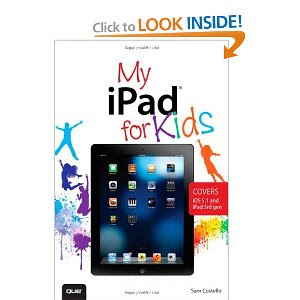
Book Description
Step-by-step instructions and corresponding step number callouts on photos show you exactly what to doHelp when you run into problems or limitations of your iPad or its apps and you need to figure out what to do
Tips and Notes to help you get the most out of your iPad and its apps Costello
Full-color, step-by-step tasks walk you through learning how to use your iPad for home, school, and just for fun!
Learn how to:
- Safely surf the Internet on the iPad to do research for school and find interesting facts.
- Use email, texting, and chatting apps to stay in touch with friends, family, and teachers.
- Have fun (or do group projects for school) using FaceTime and Skype video chatting.
- Use the iPad in school and for homework. Four chapters of suggestions for grade-specific apps (4th through 7th grade) to help you excel in the classroom.
- Use the built-in Music app so you can rock out to your favorite tunes.
- Watch movies and TV shows from iTunes and videos on YouTube (only when homework is done, of course).
- Use iPad’s built-in cameras to take photos and video of you and your friends. Use the Photo Booth app to make them even more interesting (or a little crazy!).
- Set new high scores playing the tens of thousands of great games available at the App Store.
- Discover great apps for school or just for fun through recommendations in nearly every chapter.
- Parents can feel more secure thanks to special tips that help kids use the Internet safely and responsibly.
- Become your own tech support team by learning to maintain and solve problems with your iPad, including tips on restarting, backing up, and cleaning the iPad.
- Includes coverage of the latest iPad technologies, including iOS 5.1 and 4G LTE.
About The Author
Sam Costello is a writer and web marketer living in Providence, Rhode Island. He has written about technology,movies, books, comics, food, and more for magazines and websites large and small, including PC World, CNN.com, Rue Morgue, Cape Cod Magazine, and InfoWorld. His writing has been published on five continents.Sam has been the About.com Guide to iPhone and iPod since 2007. At that site—http://ipod.about.com—he writes reviews, how-to’s, and tech support articles about the iPhone, iPod, iTunes, and other Apple technologies.
In addition to nonfiction writing, he also writes comics and short stories.
By day, Sam is a technology manager at the Boston office of Digitas, a leading digital marketing agency.
Sam lives with his girlfriend Jenn and their two cats, Oni and Clarence. He holds a Media Studies degree from Ithaca College.
Product Details
- Paperback: 368 pages
- Publisher: Que; 1 edition (June 11, 2012)
- Language: English
- ISBN-10: 0789749513
- ISBN-13: 978-0789749512
- Product Dimensions: 6 x 0.8 x 9 inches


.png)


.jpg)
